Tyr Controls
Shooter WASD by default, with hover strafe, armor inspect, and a legacy tank option.
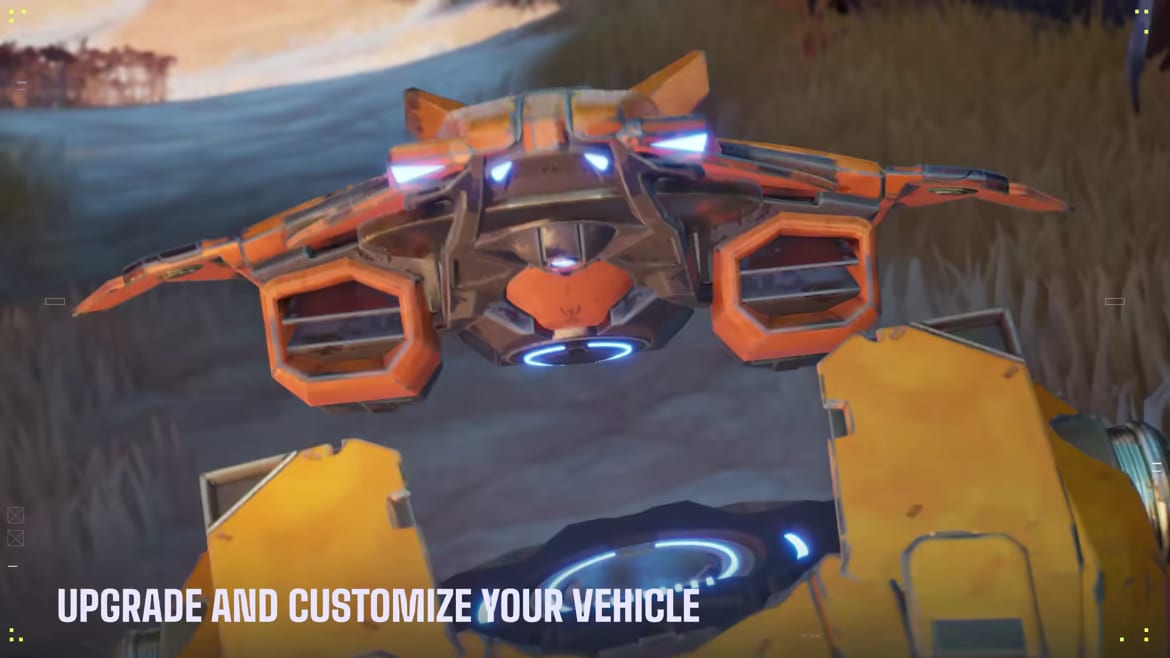
Tyr ships with a shooter-style control scheme, not a pure hull-rotate tank sim. If you come from an FPS, the muscle memory mostly works. If you come from World of Tanks or War Thunder, open Settings on day one and either learn the new layout or switch to the legacy tank option Stoke mentioned in the quickstart. This page is the bind and HUD checklist. Pair it with how to play so you know why you are aiming, and with armor so green and gray mean something.
Default movement and camera
WASD moves the hull. Mouse aims the turret. Typical shooter binds cover fire, zoom, and ability. The important extras are the ones other games do not share:
- Alt — hold to inspect your own armor layout. Do this in spawn and after you swap a hull in Sandbox. You cannot angle a plate you have never seen.
- Aim down sights — paints enemy armor. Green is a pen. Gray is a bounce. The reticle is teaching armor angling, not just zooming.
- Hover strafe (Q / E) — hover chassis can sidestep without turning the hull the way a treaded tank must. They also take less fall damage.
- Space power drift — hover-only. Hold to slide while the hull tilts with your aim. Useful for peeking a ridgeline without exposing tracks the way a pivot would.
Treaded tanks cannot fake hover kinematics. If you main a heavy, practice hull-down instead of trying to Q/E out of a shot. Class jobs live on the tank roster.
Gun depression and why you must stop
Hover vehicles have strong gun depression, but you must be stopped to use the full range. The quickstart overlay draws a red line at maximum depression. If you keep drifting over a crest, you are shooting sky or upper plate instead of the floor of a cupola. Stop, dip, fire, then drift back. That rhythm is the difference between a medium that farms hull-down and one that feeds.
Treaded tanks use terrain the old way: reverse down a slope, hide the hull, show the turret. Tempest is the textbook hull-down medium; details sit in the medium roster and medium tier list.
Ping wheel (hold T)
The August 2026 patch replaced the temporary ping with a ping wheel. Hold T while looking at a tank, rock, or zone. Pings do not Spot; they share intent. Full habit list: ping wheel. Rebind if a legacy layout stole T.
Ability, Energy, and why the bind is not the skill
Every tank has one unique ability with an Energy cost and a cooldown. Default start is 33 Energy, cap 100. Pressing the ability key with 10 Energy does nothing useful except tell the enemy you panicked. Learn the cost of your hull in Sandbox, then read Energy for the farm routes: zones, damage, assists, Energy shells.
Known examples you will feel on the binds:
- Tempest Recall — drop a gate, teleport back, steal attention. Do not recall into a spotted open field.
- Seeker Snitch — deploys a drone that hunts the nearest unspotted hull and pings it for allies.
- Atlas Sonar — pings beyond the 400 m spotting ring with markers only you see until they convert to team spots.
- Ark Bushes — ability immediately un-spots you and plants a bush. Close enemies can still re-spot you.
- Ranger ramps — deploy a ramp so a teammate (or you) can take a height they should not have.
Blink, ram overcharge, and force-bubble style tools also exist on the roster. Confirm the current name on the chassis page before you argue in Discord.
HUD things worth turning on
Stoke overhauled the in-game HUD during playtests. The minimap is not decoration:
- Dashed white circle: your 400 m spotting range.
- Solid white circle: the camo-adjusted distance at which enemies spot you.
- Directional tick at 35 m: proxy warning for an unspotted hull.
If those overlays are off or scaled to zero, you will lose spotting fights you should win. Enable replays under Settings → Game if you want to review a bounce. Files save to C:\Users\USERNAME\AppData\Local\Tyr\Saved\Demos. Tyr keeps the ten most recent matches; copy a file out if you need it longer. Watch from the Battles tab. More on that on community.
Sensitivity, legacy binds, and first-hour setup
There is no universal sensitivity. Start with a low turret speed if you overflick past weak spots — Tyr wants placed shots, not 360s. If you cannot stop the hull and the turret independently, you will miss moving lights. Alecto, Fuse, Tempest, and Atlas are the hulls whose turrets can keep up with (or beat) hull rotation. Other tanks force you to stop the turn to track. That fact belongs in tank stats as much as here.
Controller support may exist depending on the Early Access build; Stoke’s public messaging has been PC/Steam first. If you play on a laptop trackpad, do not. A mouse is the input the armor painter expects.
Practice order in Sandbox
- Drive a hover. Strafe Q/E, drift Space, stop for depression, fire, drift out.
- Drive a treaded heavy. Pivot, reverse-angle, hold Alt, then take shots on a dummy until gray becomes rare.
- Bind ability somewhere you will not fat-finger while reversing.
- Confirm the same binds still feel right on maps once you have a live match — Ravine’s ditch is a different camera problem than Scorch’s sightlines.
When the binds feel boring, you are ready. Tyr is not a movement shooter. The players who keep dying with “I got outplayed” on the recap are usually the ones who never learned Alt, never stopped for depression, and never looked at the solid camo circle. Fix the hands here, then pick a hull on the tier list.
Frequently Asked Questions
Quick answers for new Tyr pilots and returning playtesters.
What are the default Tyr movement keys?
WASD plus mouse aim. Hover tanks add Q/E strafe and Space drift. Hold Alt to view your armor.
Can I use classic tank controls?
Yes. The quickstart notes a legacy tank layout in Settings if you prefer hull-keyboard aiming from other tank games.
Why is my gun not dipping over a ridge?
Hover depression wants you stopped. Keep drifting and you lose the red-line dip. See armor for hull-down.
Where are replay files stored?
Enable Replays in Settings → Game. Files land in AppData Local Tyr Saved Demos. Only the last ten matches stay.